
The clipboard
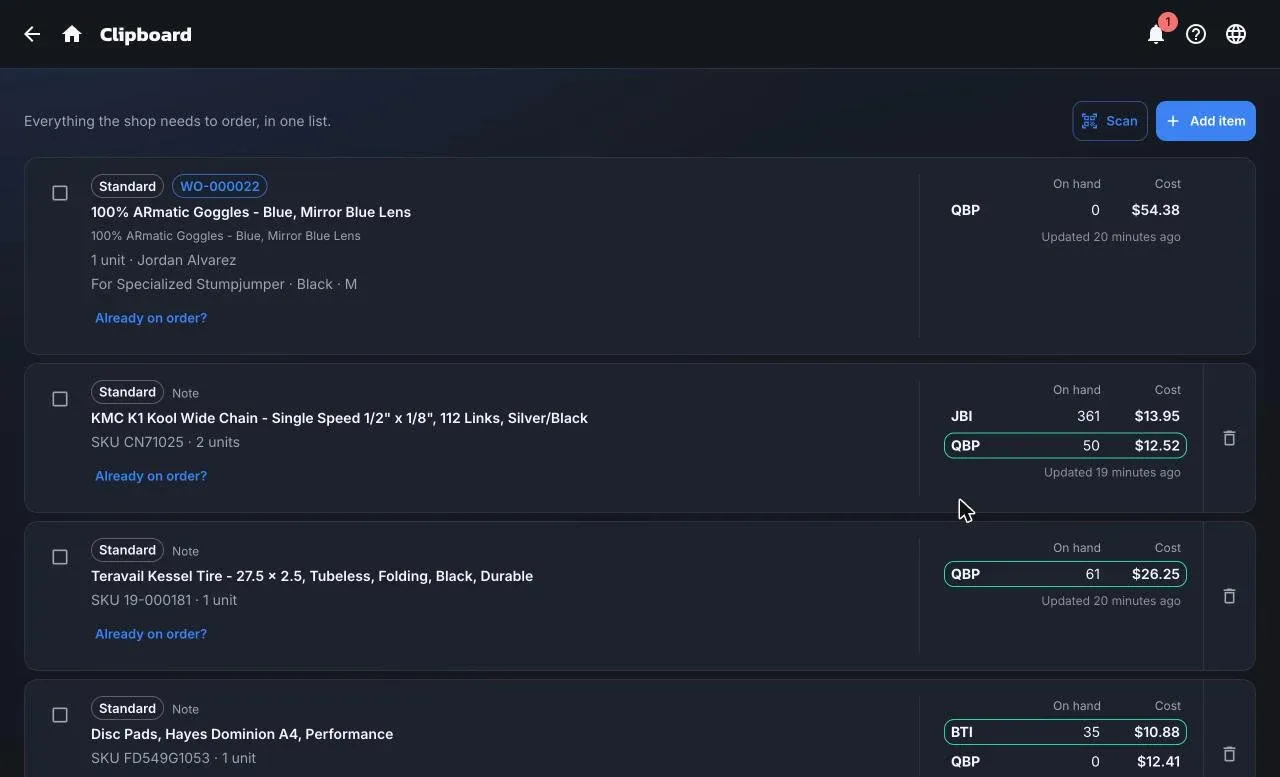
The Clipboard is everything the shop needs to order, in one list. Anyone can put something on it; the buyer turns it into purchase orders. Open it from Purchasing → Clipboard.
What lands on it
Section titled “What lands on it”- Special orders. Every new special order from the counter, the register, or a work order line appears here as Pending until it’s ordered.
- Notes anyone adds with Add item: a product or just a description, a quantity, and an urgency.
- Scans. Scan a barcode to add the product, or bump its quantity if it’s already listed.
- Add to Clipboard from a product in the Supplier catalog.
The list is per location and sorted urgent first, then oldest first. Requests for the same product are shown as one card listing everyone who’s waiting.
Reading a row
Section titled “Reading a row”Each row shows what it is (Special order or Note), who it’s for, and Distributor stock: on-hand and your cost at each connected supplier. The cheapest supplier that actually has stock gets a green border. That’s a hint, not a decision; you choose the supplier when you create the purchase order.
A row without a product shows Needs a product. Resolve it by searching your products or the supplier catalog. One note can be split into several products.
Send to a purchase order
Section titled “Send to a purchase order”-
Select the rows to order.
-
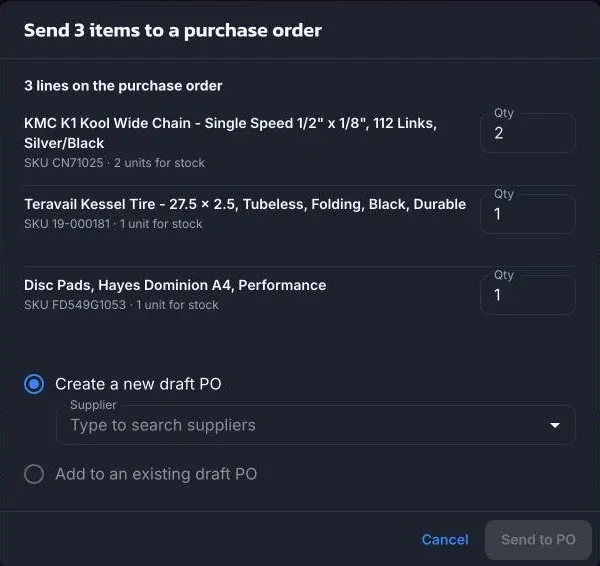
Choose Send to PO, then Create a new draft PO (pick the supplier) or Add to an existing draft PO.
-
ShopTech makes one line per product with the quantity promised. You can raise it to add stock for the shelf, but not lower it. Unit cost is filled from the supplier’s dealer price when the supplier is connected, otherwise from the Shopify cost.
Notes leave the Clipboard when sent. Special orders stay attached to the purchase order and move to On order once it’s issued.
Already on order? claims units from an open purchase order line instead of ordering more.
Who can do what
Section titled “Who can do what”Every role can view the Clipboard and add, resolve, or dismiss items. Sending to a purchase order and claiming from one need the Purchasing or Admin role.
Dismiss only applies to notes. A special order is cancelled from Special Orders.