
Products and labor
Inventory on the dashboard covers your Shopify products and labor, Quick Add, and stocktakes. Everything here reads from and writes to Shopify; there is no separate ShopTech catalog.
Products
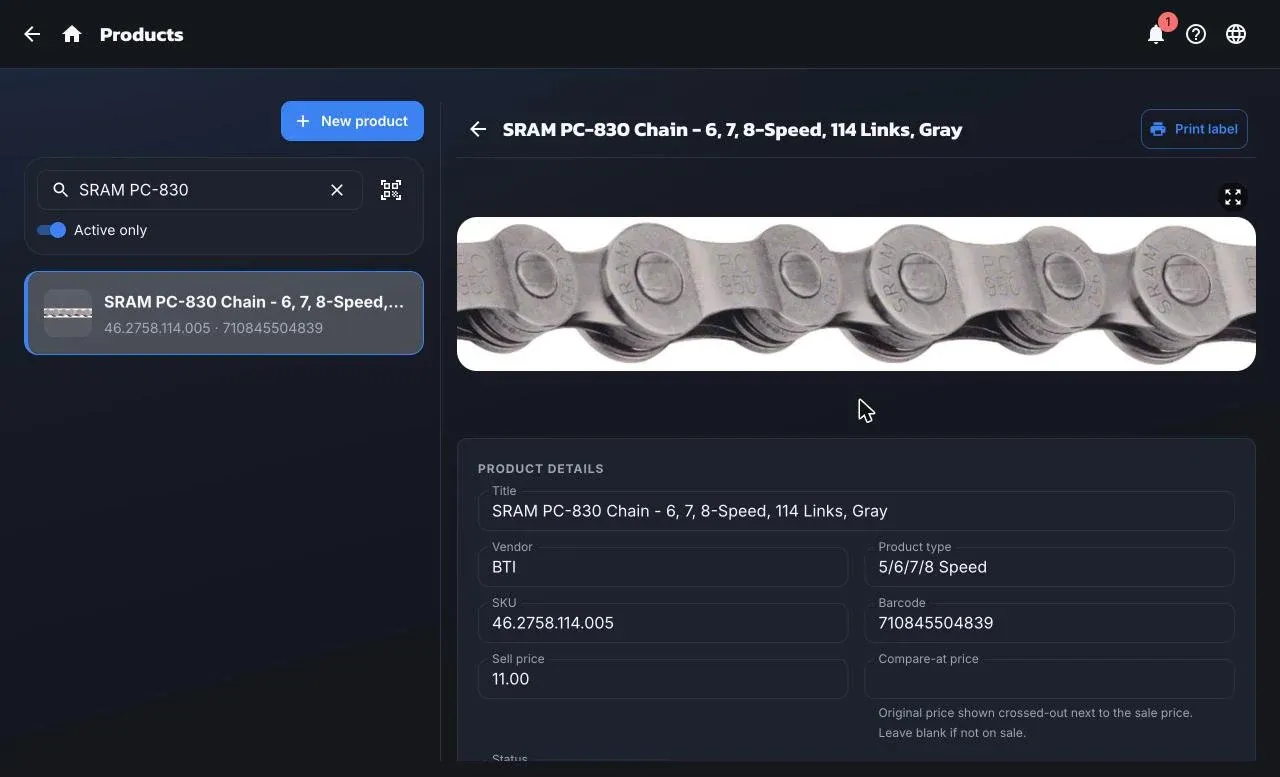
Section titled “Products”Inventory → Products lists every Shopify product except your labor type. Search by title, SKU, or barcode, or scan one: a single match opens the product. Active only is on by default.
Open a product to see and edit:
- Product details: title, vendor, type, SKU, barcode, sell and compare-at prices, status, and whether it’s taxable. Save changes writes to Shopify. Editing needs the Purchasing or Admin role.
- Never print item labels skips this product in every label print. Useful for services and items that don’t take a shelf label.
- Publications: which sales channels the product is on.
- Inventory: available quantity at each active location. This is read-only; change stock with a stocktake or by receiving.
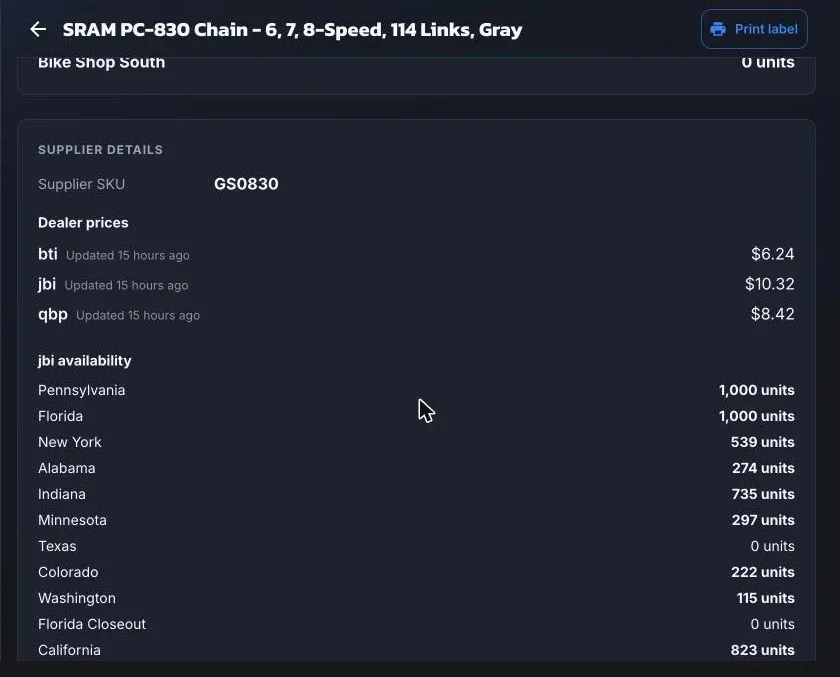
- Supplier details, when the product is linked to the catalog: the supplier’s SKU, your cost at each distributor, and warehouse availability. Cost is shown only to Purchasing and Admin.
Print label prints shelf labels; it asks how many.
Labor is any Shopify product whose product type is your shop’s labor type, set in Settings → General → Labor Product Type or during first-run setup. Inventory → Labor lists just those, with prices, and is where you add services.
New labor asks for a name and price, and optionally a compare-at price, SKU, description, tags, and whether it’s taxable (off by default). The product type is set for you, and labor is created as untracked and non-shippable so it never affects stock.
Labor appears on work orders under the Labor tab. There is no time or duration on labor; the ready date is chosen per job.