
Getting help
Report a problem
Section titled “Report a problem”Anyone in the shop can report a problem from the Help icon in the top bar of the app.
- Choose Report a problem.
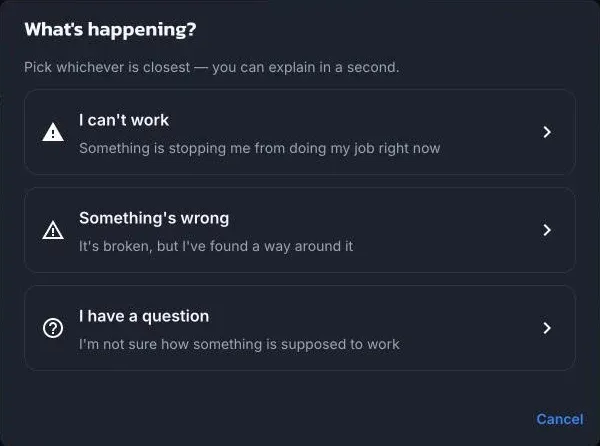
- Pick what’s happening: I can’t work, Something’s wrong, or I have a question.
- Say in one line what happened, and add anything else that helps.
- Choose Send.
The report automatically includes the screen you were on, the app version, recent errors, and your last few steps, so there’s no need to describe them. No customer names, phone numbers, or order details are included.
Follow a ticket
Section titled “Follow a ticket”Help → Reported problems lists the shop’s tickets with their status: Sent, Being looked at, Waiting on you, Fix on the way, Resolved, or Closed. Open one to read replies and answer. Replies from ShopTech Support also arrive as a notification in the bell.
support@shoptech.app. Include your store’s .myshopify.com address.
© 2026 Zack Dot Solutions LLC. All rights reserved.